BookletMaker
Turn a PDF into a fold-and-staple booklet, or split it by page ranges. All on your Mac.




Core Features
From a single booklet to batch splitting, BookletMaker concentrates PDF print prep into one drag-and-drop.
Booklet Imposition
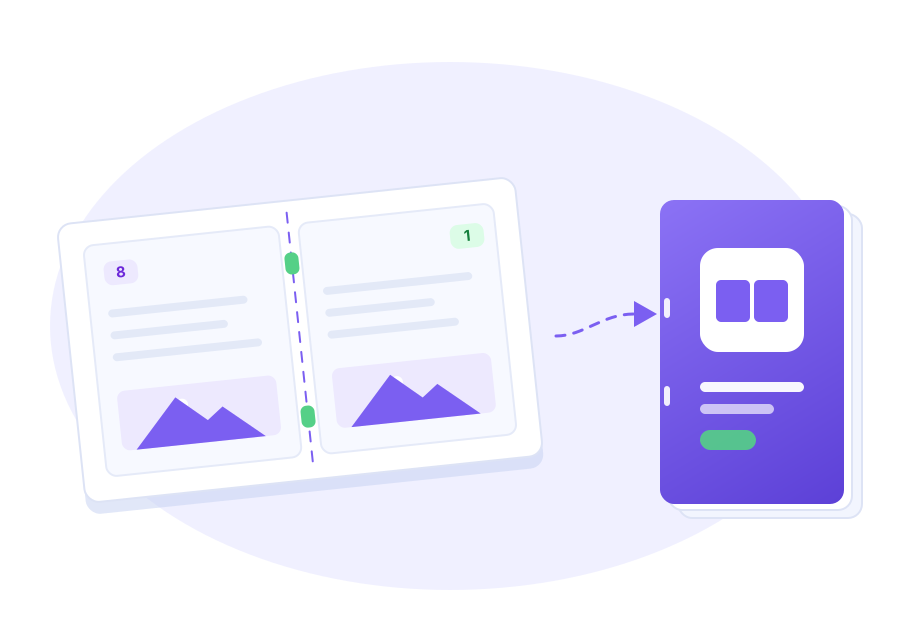
Rearranges PDF pages into saddle-stitch order. Print duplex on A4, fold along the center line, and staple to get a correctly ordered A5 booklet.
Split PDF by Page Range
Enter cut points like 20, 50, 80 to break one PDF into multiple standalone files, exported segment by segment.
Flexible Paper & Layout
A4 / A5 / Letter, Booklet Fold or Simple Pair layout, with adjustable margin, gutter, blank-page padding and cut marks.
Four-stage Live Preview
Original → Imposed → Before binding → After binding. Every tweak updates the preview instantly — what you see is what you print.
On-device · Privacy First
A sandboxed app with no network access. Your PDFs are processed locally and never uploaded anywhere.
Drag & Drop
Drop a PDF into the window to get started, or load the built-in sample PDF to try it instantly.
How It Works
From an ordinary PDF to a readable booklet in four clear stages.
Original PDF
Drop in your PDF, or load the built-in sample. An N-page document in ordinary order, prepped at A4 ratio.
Imposed Output
Pages are rearranged into saddle-stitch order, producing several duplex-printable A4 sheets with two pages side by side.
Before Binding
Inspect front/back page pairs sheet by sheet, check cut marks and margins — the final check before printing.
After Binding
Duplex print, fold in half, saddle-stitch — and a correctly ordered, readable A5 booklet is born.
FAQ
Quick answers to see if BookletMaker fits your print and binding needs.
What does BookletMaker do?
It is a macOS print-prep tool for PDFs: it turns an ordinary PDF into a fold-and-staple booklet (saddle-stitch imposition), and can also split a PDF into multiple files by page range.
Do I need to know imposition?
No. Pick the Booklet Fold layout and the app automatically rearranges pages into the correct imposition order — just duplex print, fold, and staple.
Which paper sizes are supported?
A4, A5, and Letter output papers are supported, with adjustable margin, gutter, blank-page padding, and cut marks.
Will my PDF be uploaded anywhere?
No. BookletMaker is a sandboxed app with no network access. All PDFs are processed locally on your Mac.
What is the Simple Pair layout?
Simple Pair places page 2k next to page 2k+1 in document order — handy when you print the front side manually and re-feed sheets for the back.
What are the system requirements?
macOS 14.0 or later is recommended.
User Feedback
Found a bug or have a feature idea? Let us know and help shape BookletMaker.
User Feedback
Submit your feedback and suggestions to us
Print Once, Bind a Booklet
Drop in a PDF, pick your paper, and let BookletMaker handle the rest — all processed locally, nothing uploaded.